To open Command Line (CMD) in Windows, you can search “CMD” and open the Command Prompt application. If you cannot find the application, then you can Run CMD.exe by pressing the Windows key + R.
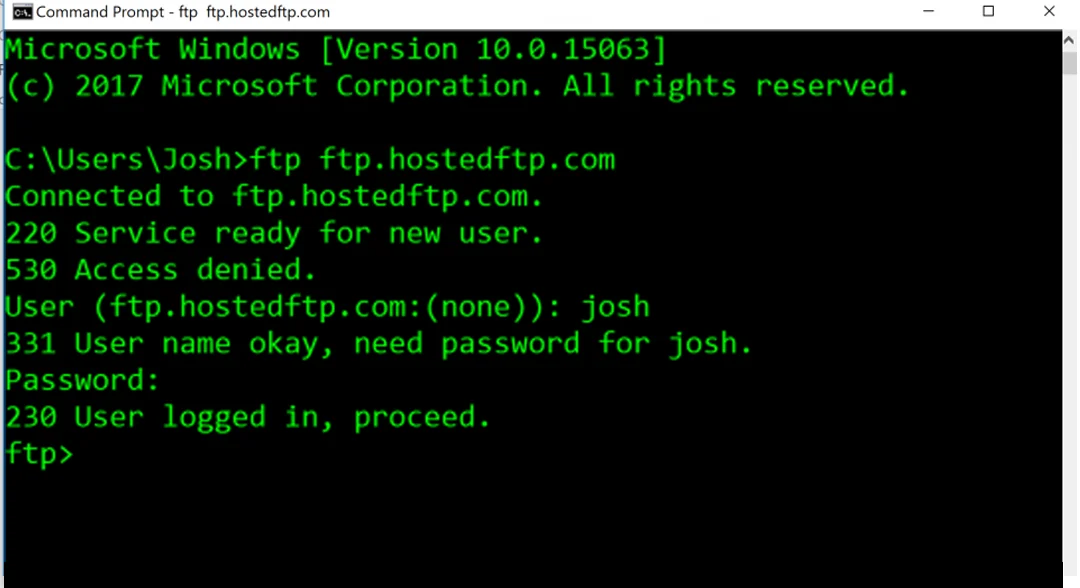
You’ll still need the following information to login: Hostname or IP address, Username, and Password. In this example, we’ll use Hosted~FTP~’s default hostname: ftp.hostedftp.com and the username Josh.
Open your Command Line
Type ftp ftp.hostedftp.com
Press enter
Enter your username and password as shown
Reference links:
Using the command line to connect to Hosted~FTP~